Selected work

See the thinking inside the system.

Products, protected school workflows, internal tools, and programme design—presented with real interface evidence and a clear description of what each one does.

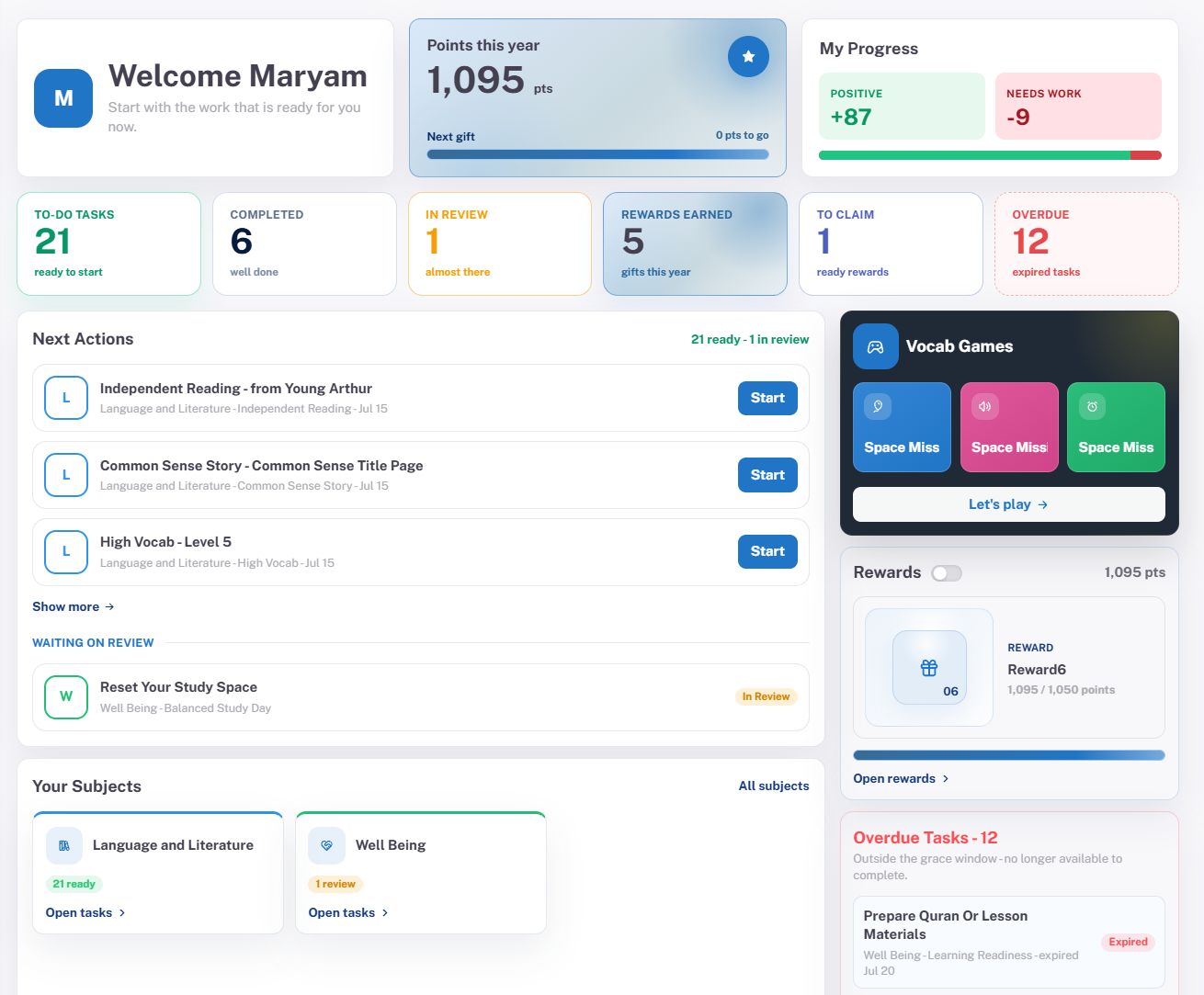
Week14 student workspace showing tasks, progress, and learning support
01 Related-company product · Live

Week14 Education-Support Platform

A coordinated experience for structured student work, parent follow-up, progress visibility, and guided academic support.

Designed for
Students, parents, teachers, and support teams
Connects
Tasks, sessions, materials, progress, points, and rewards
Product logic
One operating picture across academic support and family follow-through
Visit Week14
View project screens
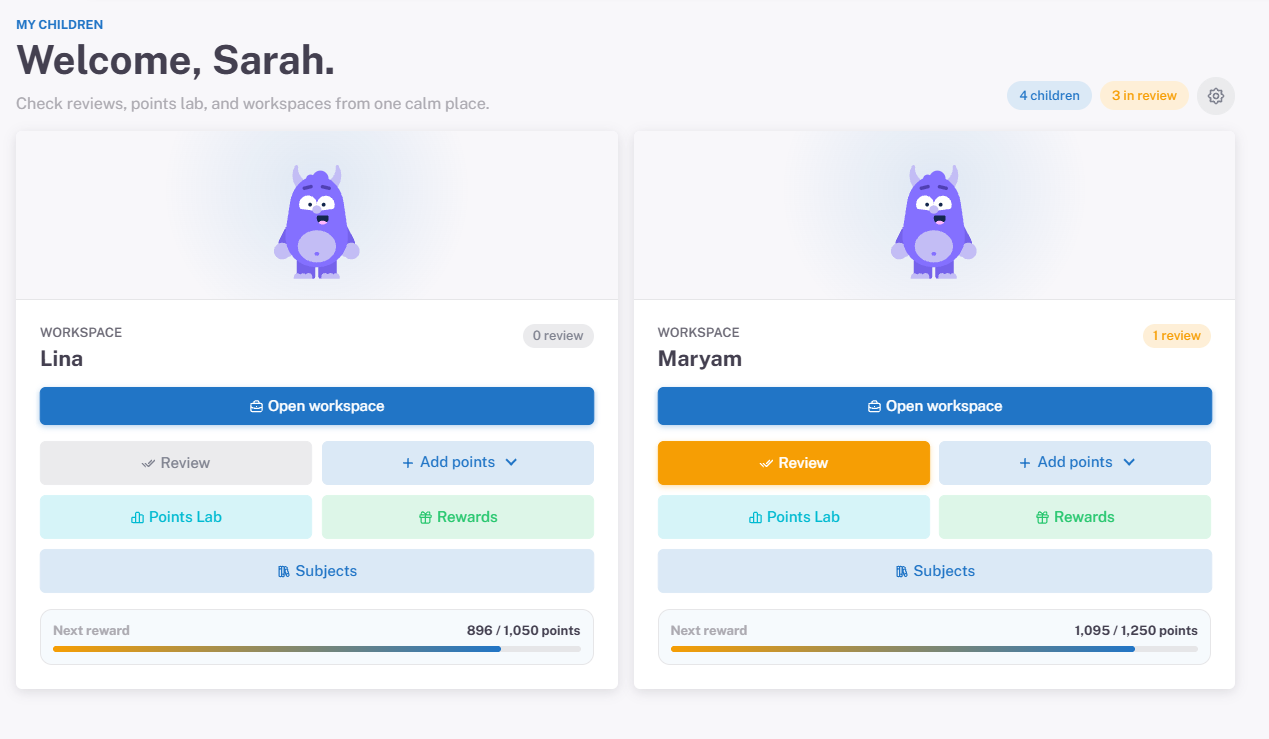
Week14 parent dashboard showing review, progress, and rewards
Parent review and rewards workspace.
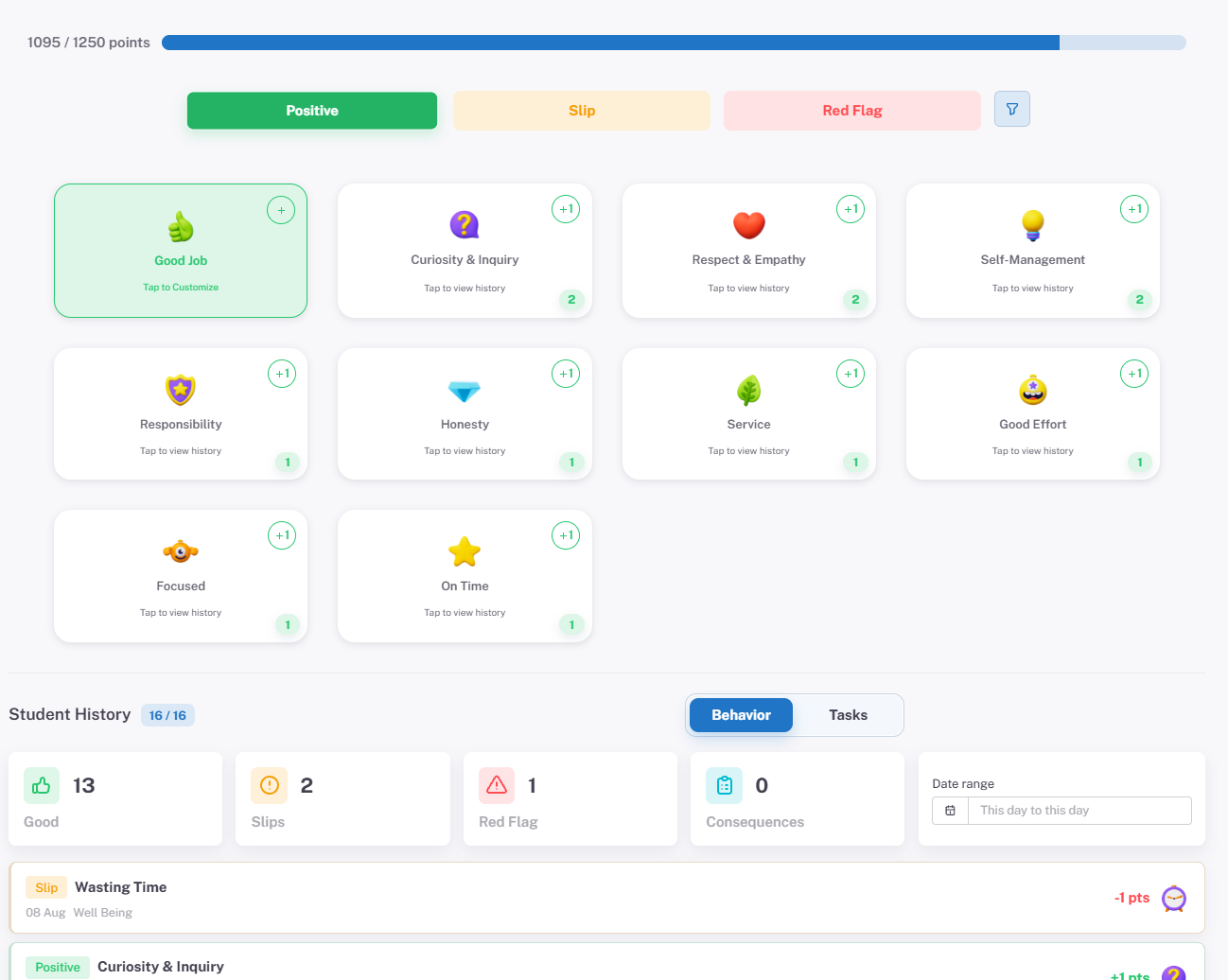
Week14 points workspace showing behaviour and progress categories
Points, behaviour, and progress workflow.
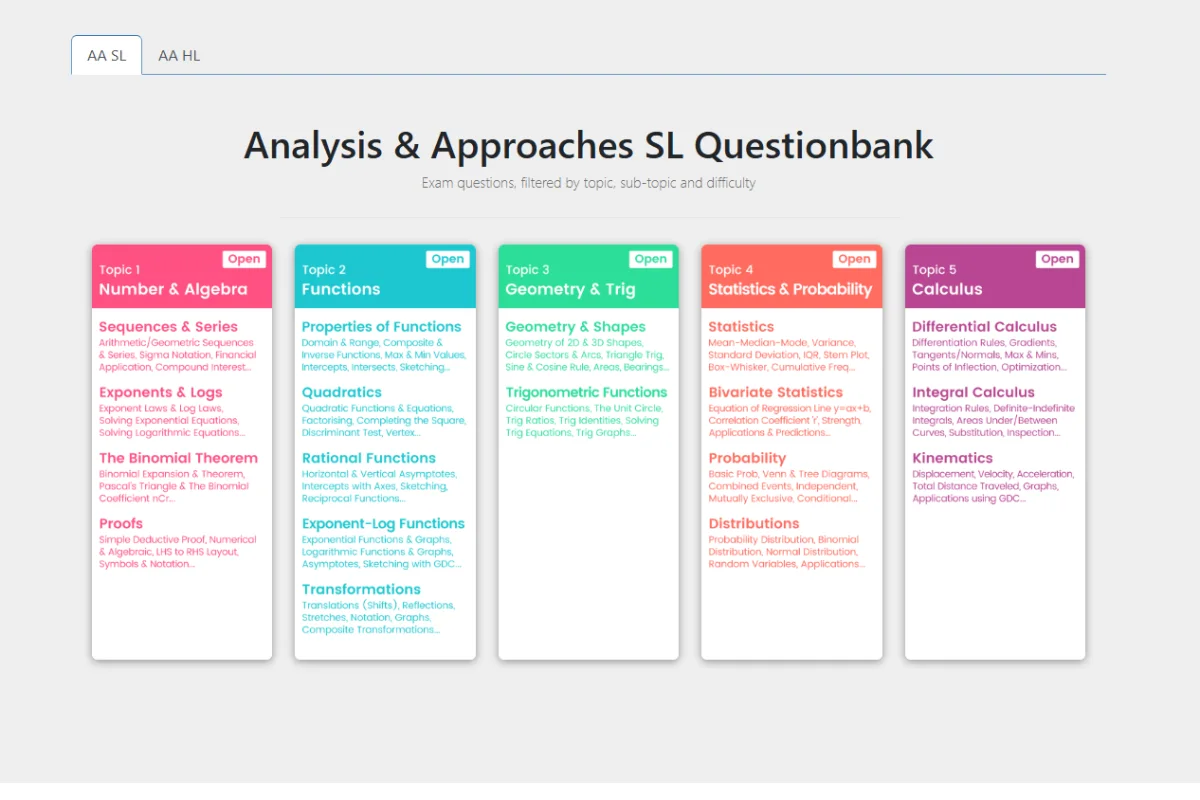
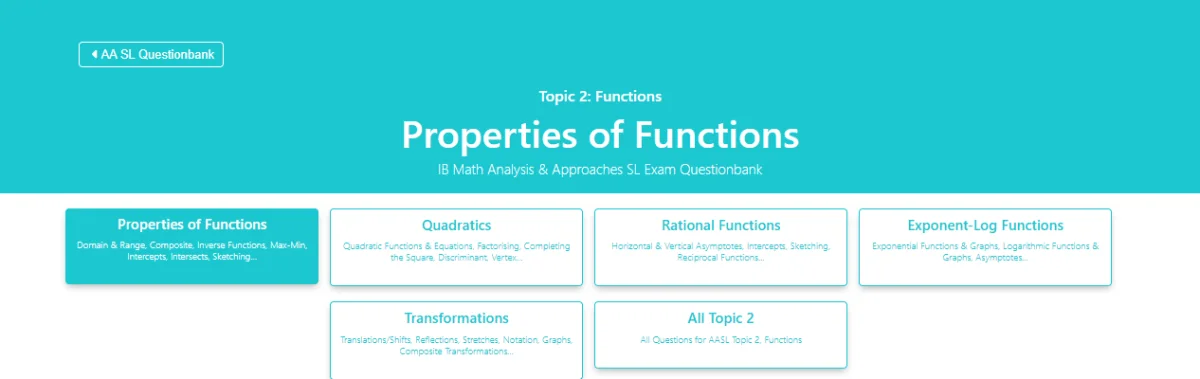
IB Mathematics Question Bank organised by course, topic, and sub-topic
02 Related-company product · Live

IB Mathematics Question Bank

A structured mathematics-practice environment that helps students move from course and topic selection to filtered question practice, mark schemes, formula support, and solution pathways.

Designed for
Students preparing across Mathematics: Analysis and Approaches pathways
Organises
Courses, topics, sub-topics, difficulty levels, and supporting resources
Experience
Fast movement from broad revision needs to focused practice
Open the question bank
View filtering workflow
IB Mathematics Question Bank filtered by functions topic and sub-topic
Topic, sub-topic, and difficulty filtering.
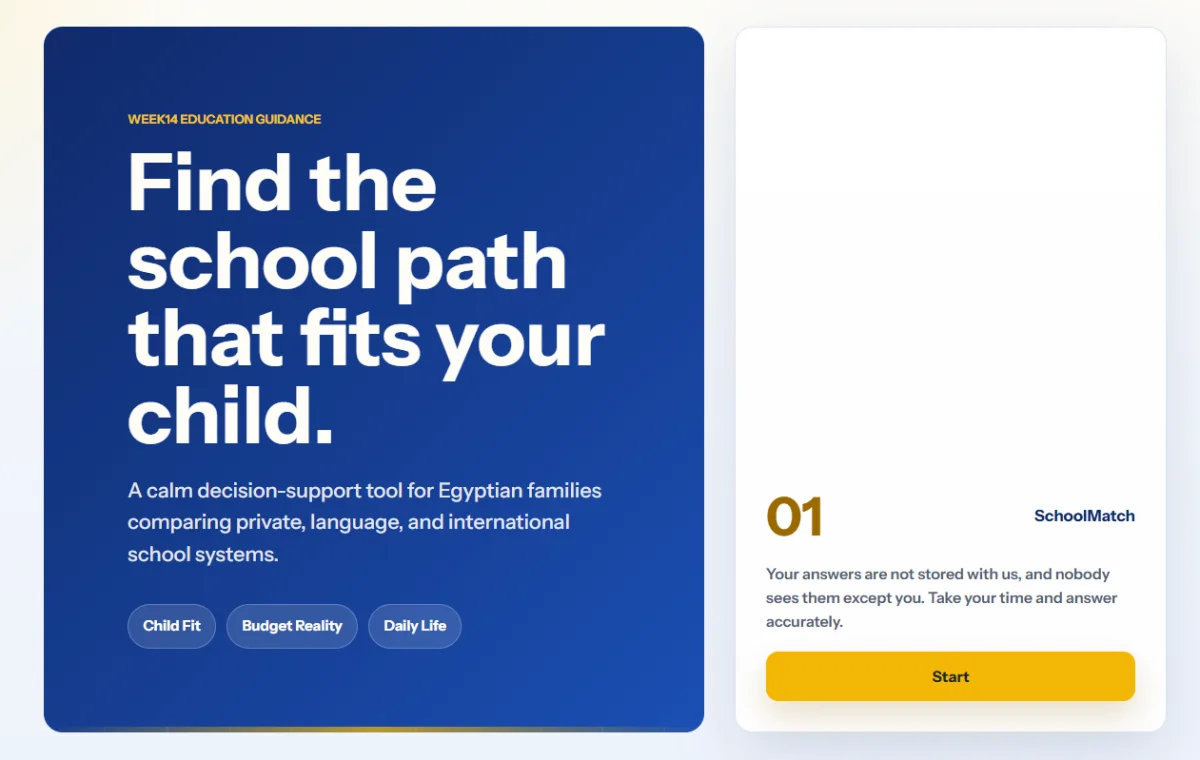
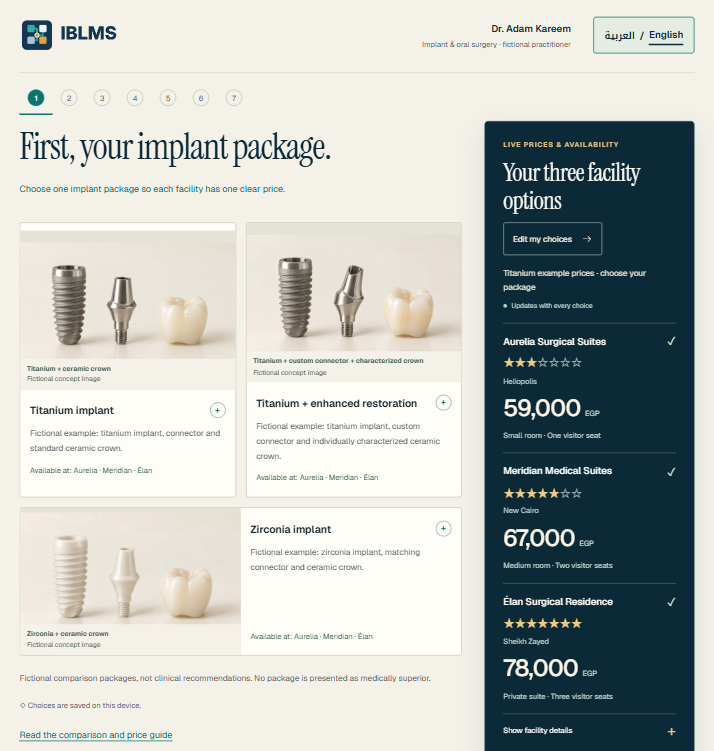
SchoolMatch decision-support introduction and first step
03 Related-company product · Live

SchoolMatch

A bilingual decision-support tool that turns family priorities into a structured comparison of school-system pathways.

Designed for
Egyptian families exploring private, language, and international schools
Considers
Child fit, budget, daily life, school quality, culture, and future pathway
Approach
Guided reflection across the factors that shape a sustainable school choice
Try SchoolMatch
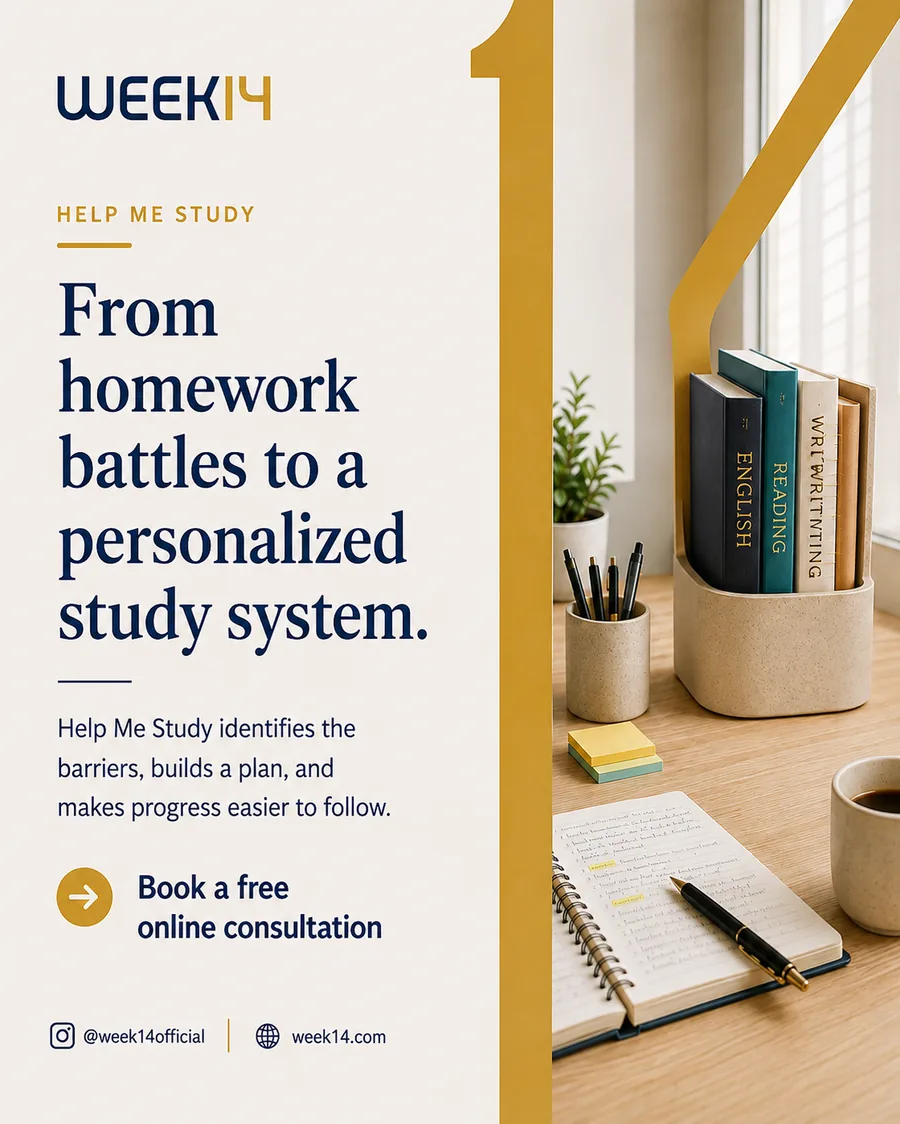
Week14 study-support communication produced through the Operations Studio
04 Internal operational tool · In use

Week14 Operations Studio

A browser-based workspace that turns repeated review, content, and fee-information tasks into consistent operator workflows.

Designed for
Internal operators handling repeated, structured outputs
Includes
Case Map, Social Studio, and Fees Studio workflows
Access
Private operator workspace; representative outputs are shown here
View another studio output
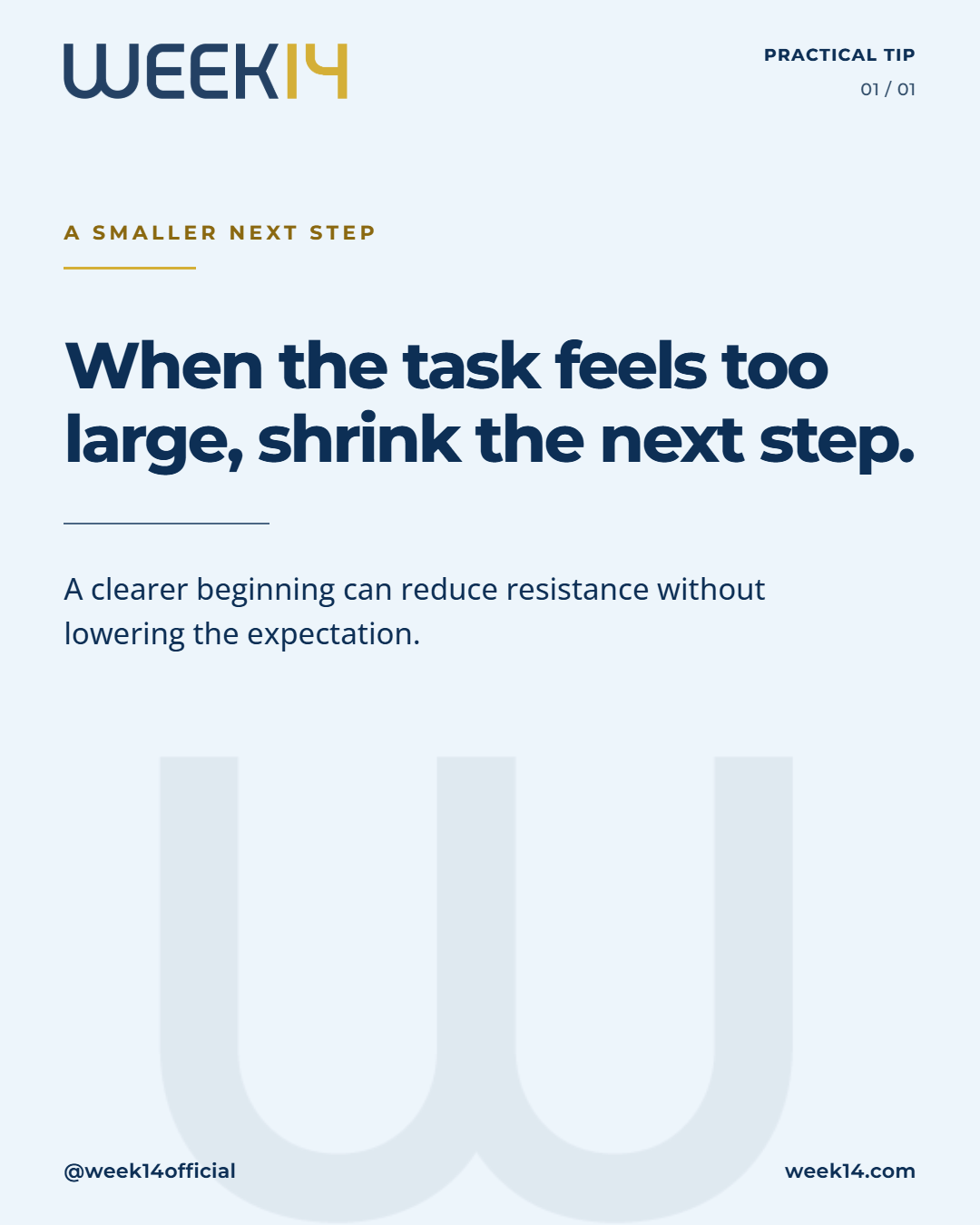
Week14 practical guidance design produced through Social Studio
Reusable guidance output produced through Social Studio.

Supporting prototype

Project Pricing Estimator

A bilingual self-guided tool that separates one-time build costs, recurring support, annual services, and external costs into a preliminary range.

An early scoping aid, not a quotation.

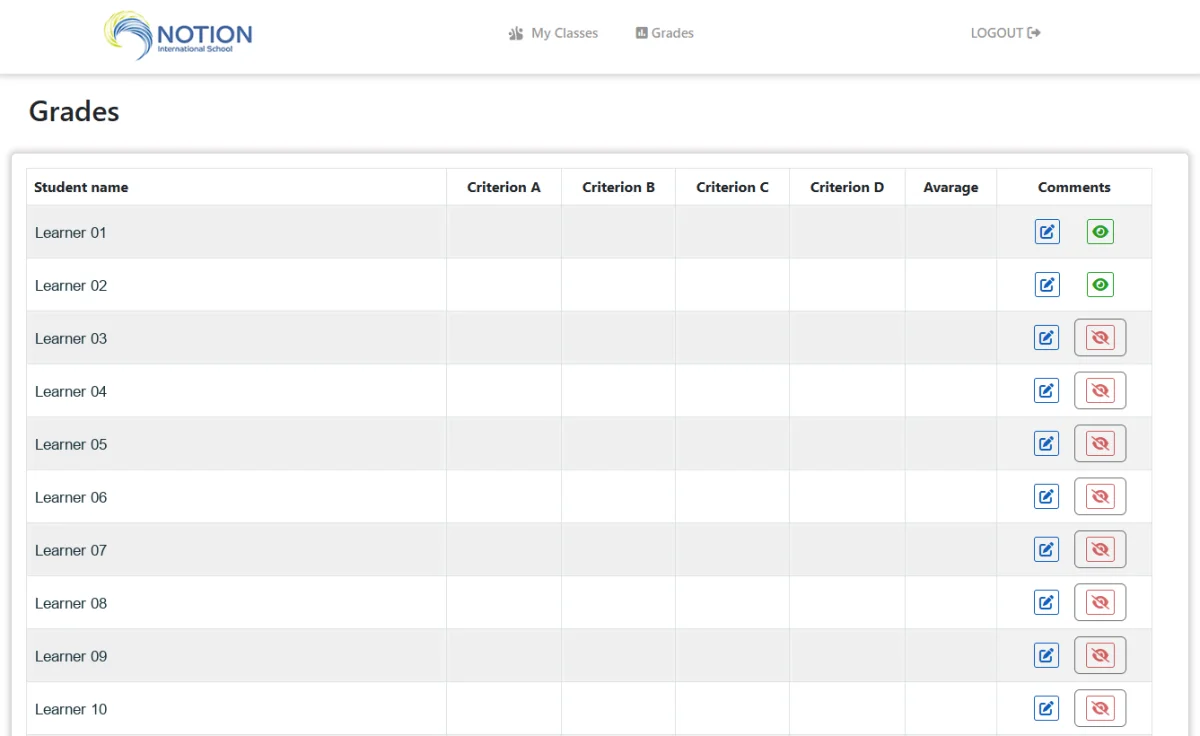
Teacher reporting interface with class-wide criteria entry and comment-status indicators
05 Protected school system

Teacher Reporting & Comment Workflow

A class-wide criteria view with autosave and clear report-status indicators, paired with a guided comment builder that turns selected evidence into a structured student report.

Designed for
Teachers completing criteria and narrative reports across a class
Improves
Visibility of completed work, remaining comments, and the next student requiring attention
Workflow
Criteria entry, autosave, guided evidence selection, and structured comment preparation
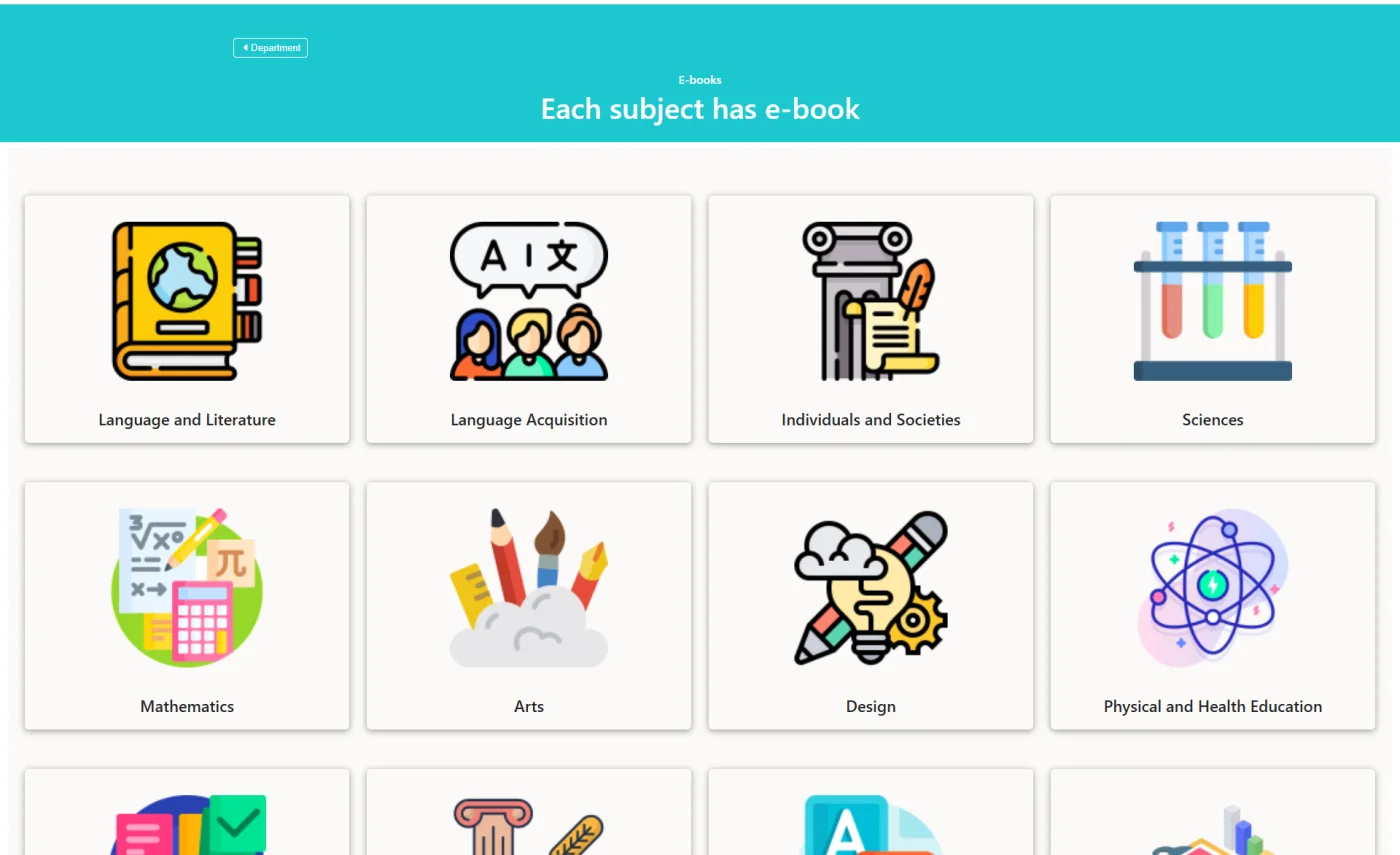
School e-book library organised by subject
06 Protected school system

School E-book Library

A protected, subject-based resource library that helps teachers reach school materials quickly from any location without navigating shared folders or message threads.

Designed for
Teachers and education teams accessing school-provided resources
Organises
Materials by programme, department, subject, and resource type
Access
Password-protected; the catalogue view is shown here
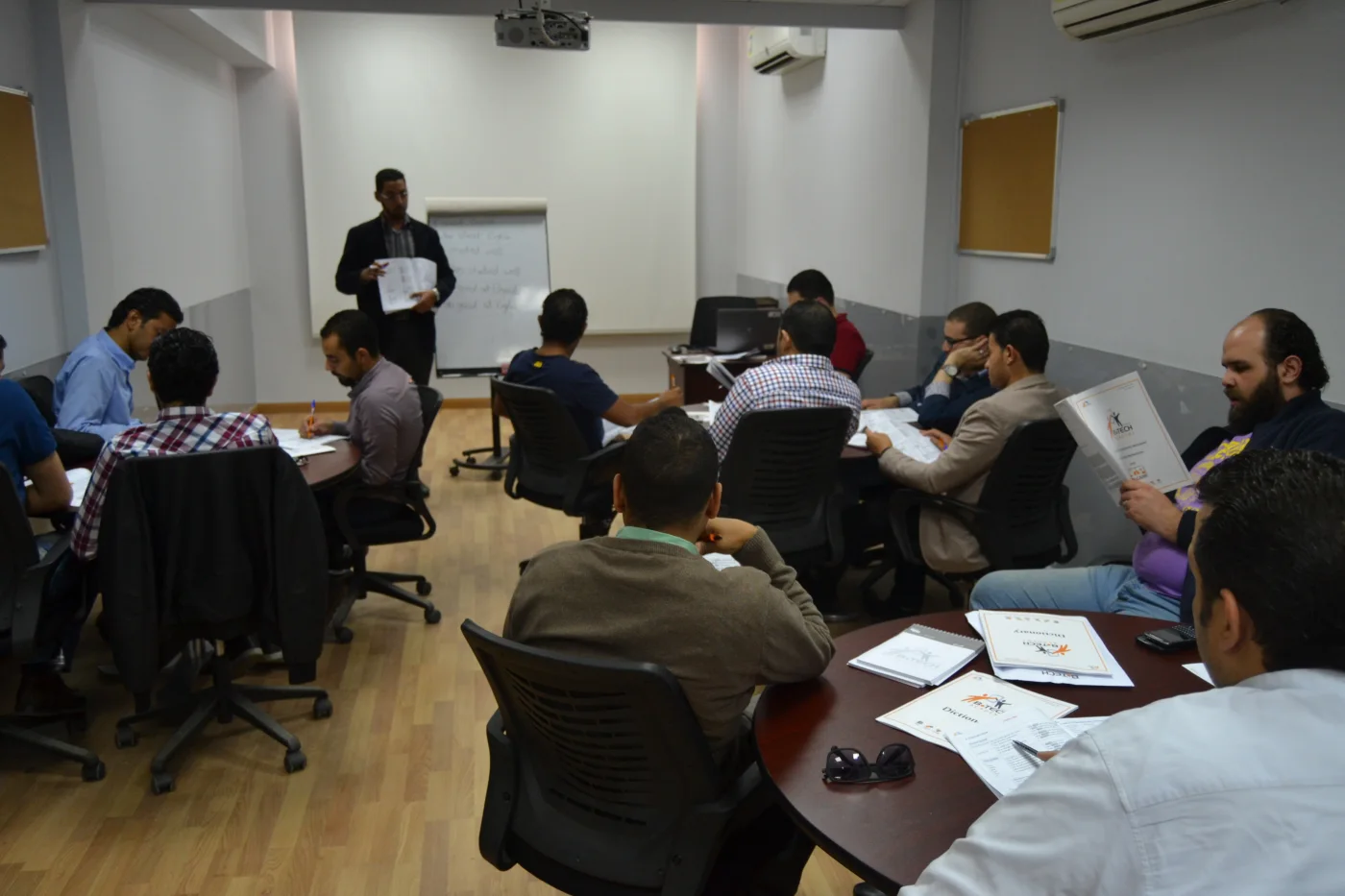
Dr Osama Qandil leading a B.TECH training session
07 Programme design & facilitation

Programme Design & Training Gallery

Corporate programme design and facilitation across leadership, communication, AI, data, and workplace capability—supported by practical programme materials and real training photography.

Experience
Sixteen corporate programme levels across B.TECH, Sysmex, and PIL
Design
Department-specific cases, practical tools, application activities, and follow-through
Contexts
Leadership, management, communication, strategy, AI, data, and digital productivity
Explore corporate training
View training gallery
Dr Osama Qandil leading a corporate training session at Sysmex
Corporate training session at Sysmex.
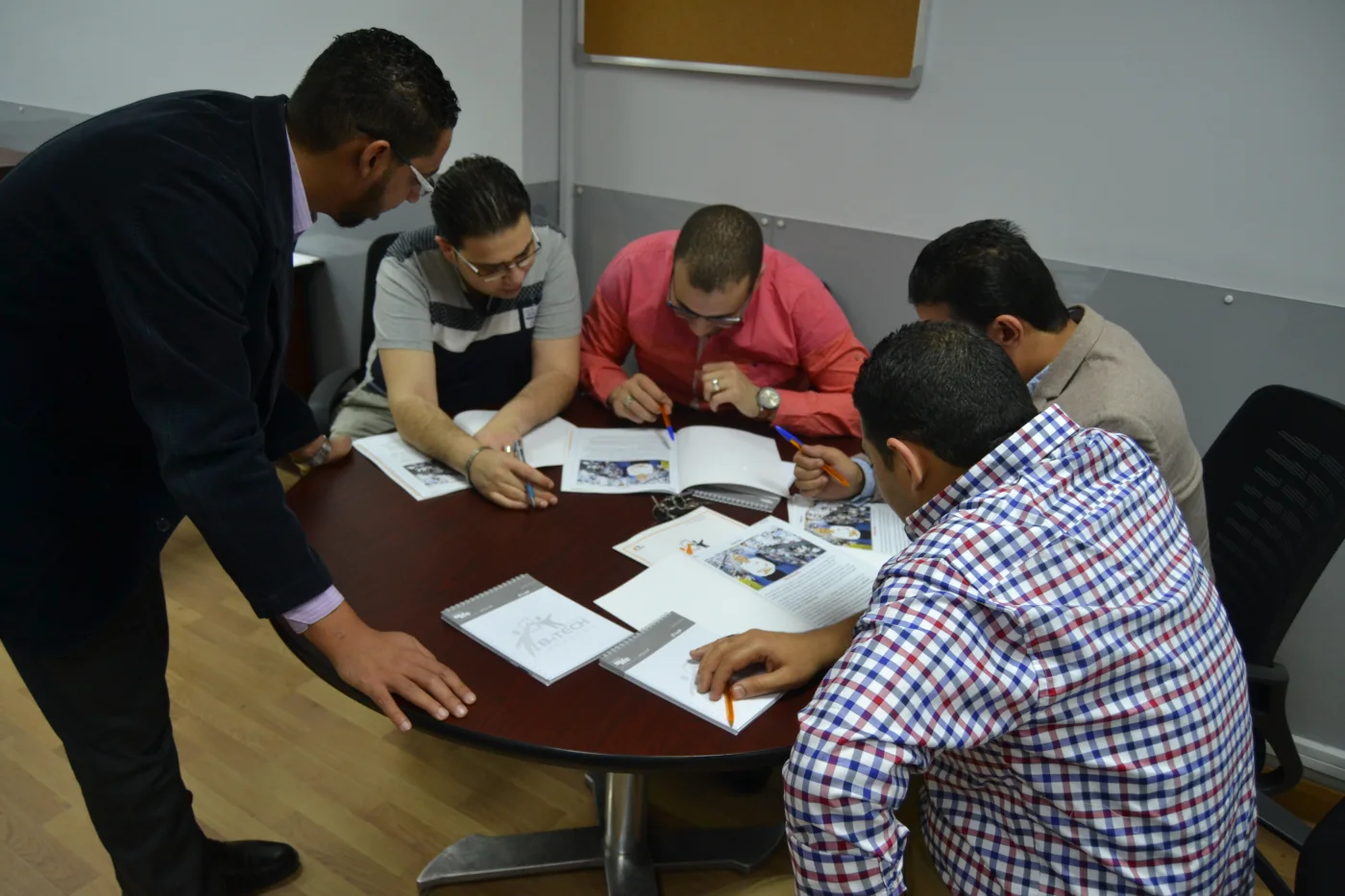
Dr Osama Qandil facilitating a small-group activity during a B.TECH programme
Small-group application during a B.TECH programme.
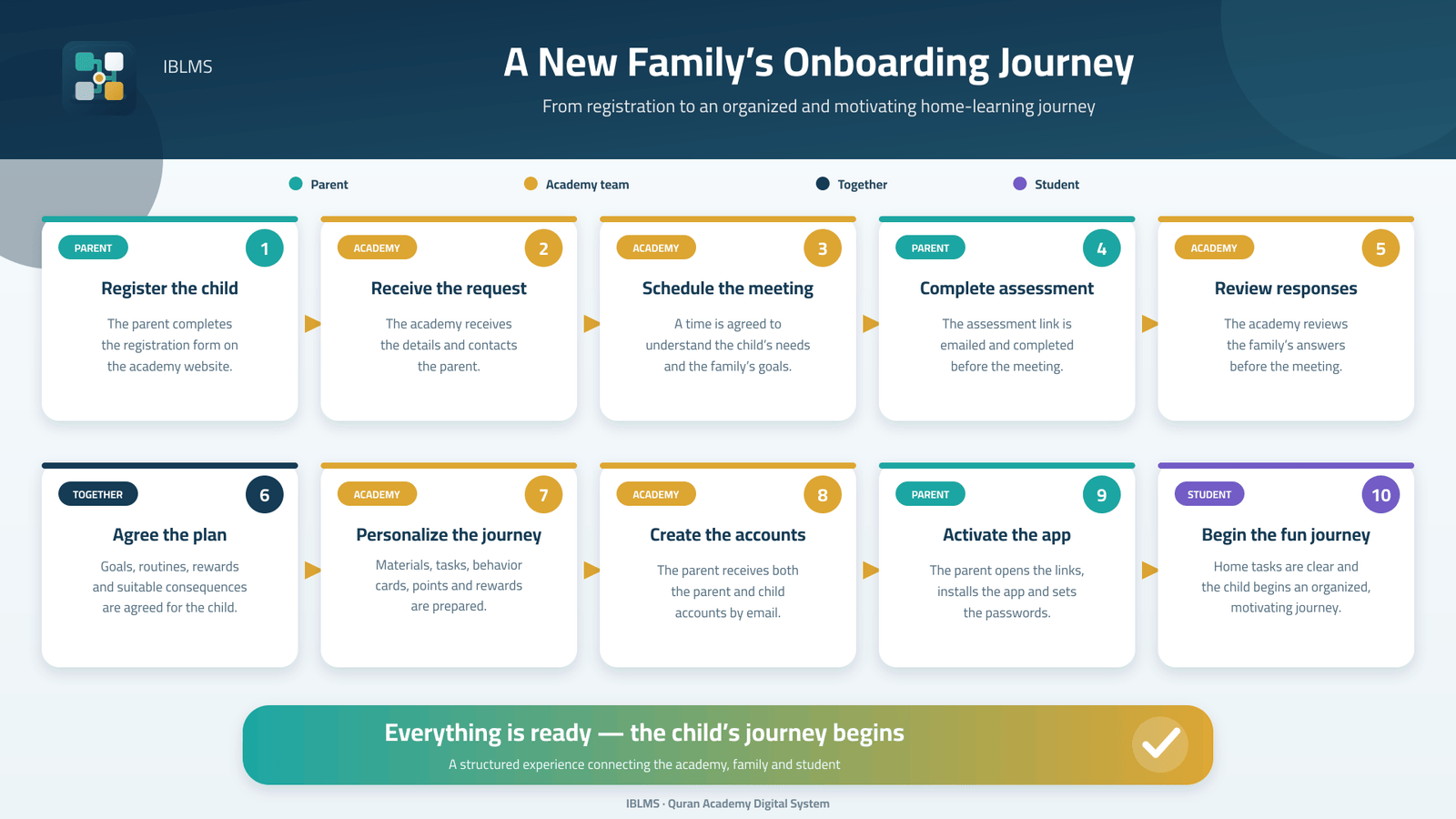
ToQuran family onboarding journey connecting parents, students, and the academy team
08 IBLMS product · Live working example

ToQuran Academy Digital System

A connected product framework for branded academy delivery and role-based learning workflows.

Designed for
Learners, families, teachers, and academy leaders
Connects
Onboarding, tasks, parent review, points, rewards, resources, and academy controls
Working example
ToQuran
View project screens
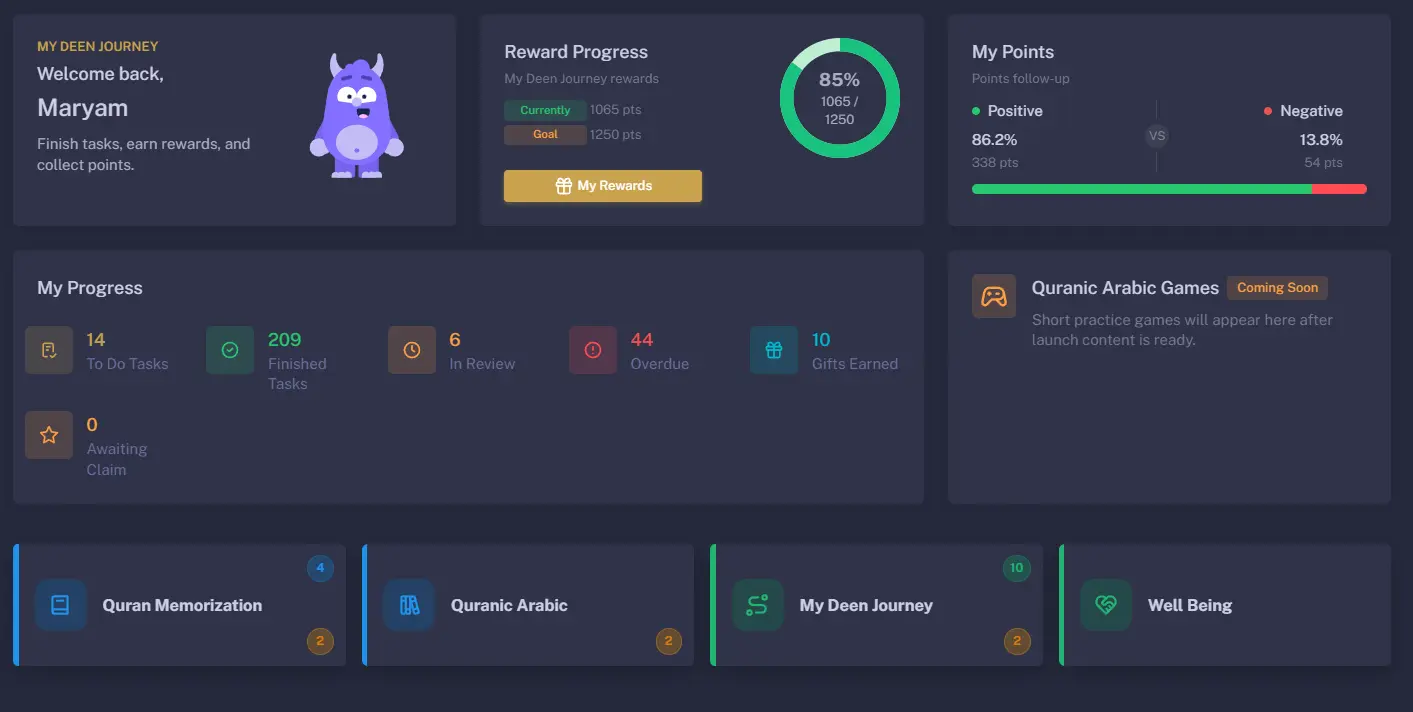
ToQuran academy workspace showing progress and learning support
Academy workspace.
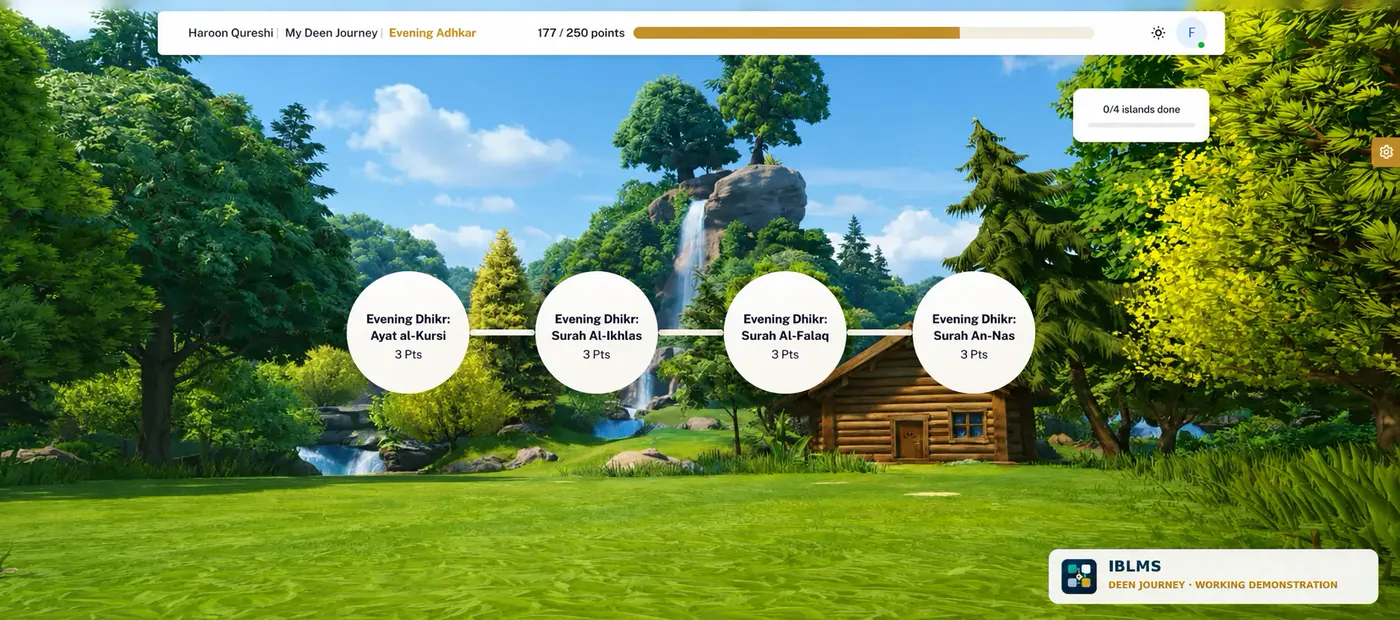
ToQuran Deen Journey pathway interface
Deen Journey pathway.

A useful first conversation

Bring the challenge. We’ll help frame the next move.

Share the outcome you need, the friction you see, and what has already been tried. We will respond with a practical direction—not a preselected product.

Start a conversation