
Programme planning
Shared unit planning with inquiry, ATL skills, resources, owners, and review status.
IBLMS supports the connected work around curriculum planning, assessment, reporting, teacher coordination, parent communication, and implementation oversight.
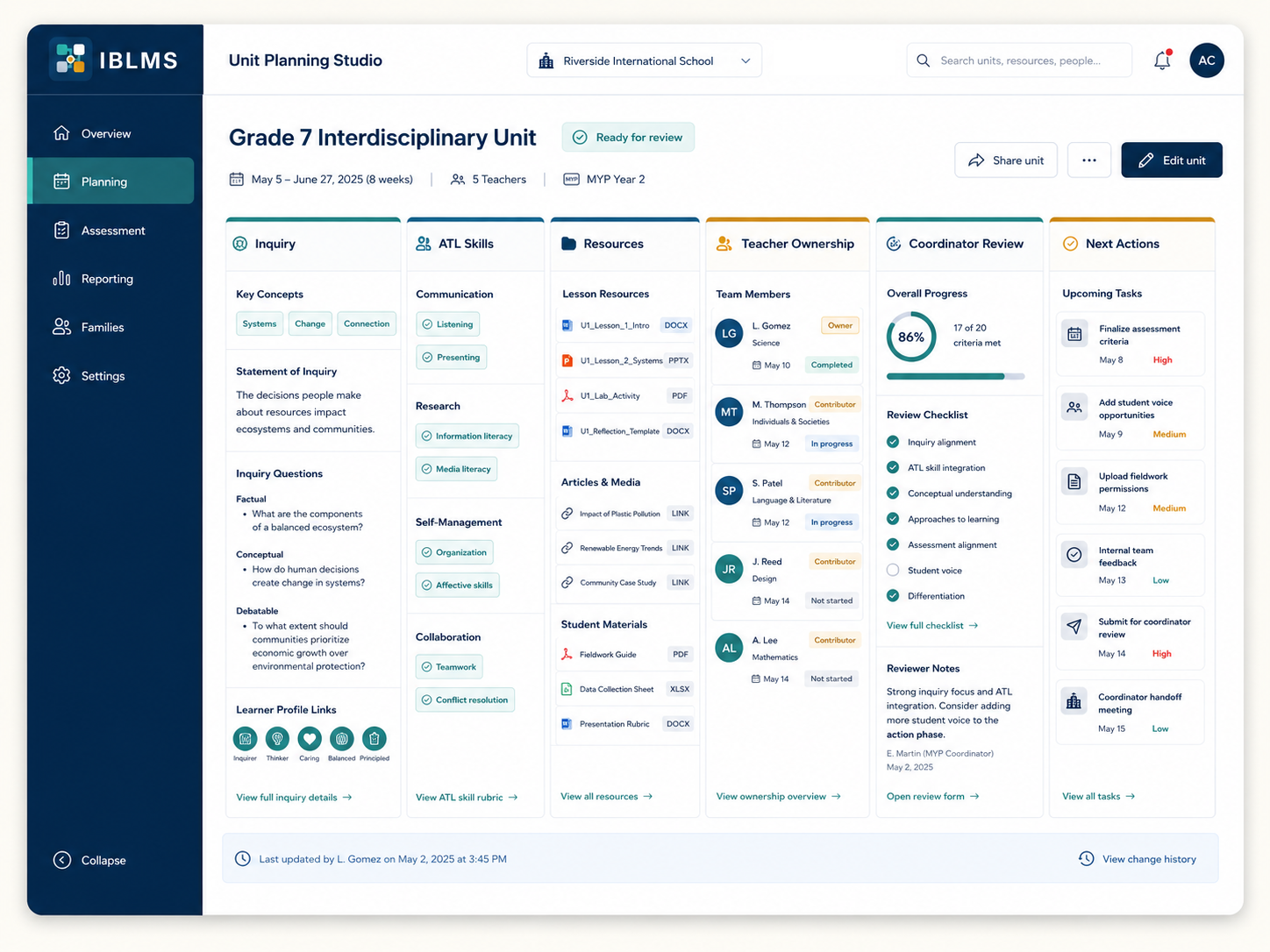
Shared unit planning with inquiry, ATL skills, resources, owners, and review status.
Criteria, rubrics, moderation, feedback, and evidence of progress closer together.
Clearer summaries for school leadership, teachers, and family-facing communication.
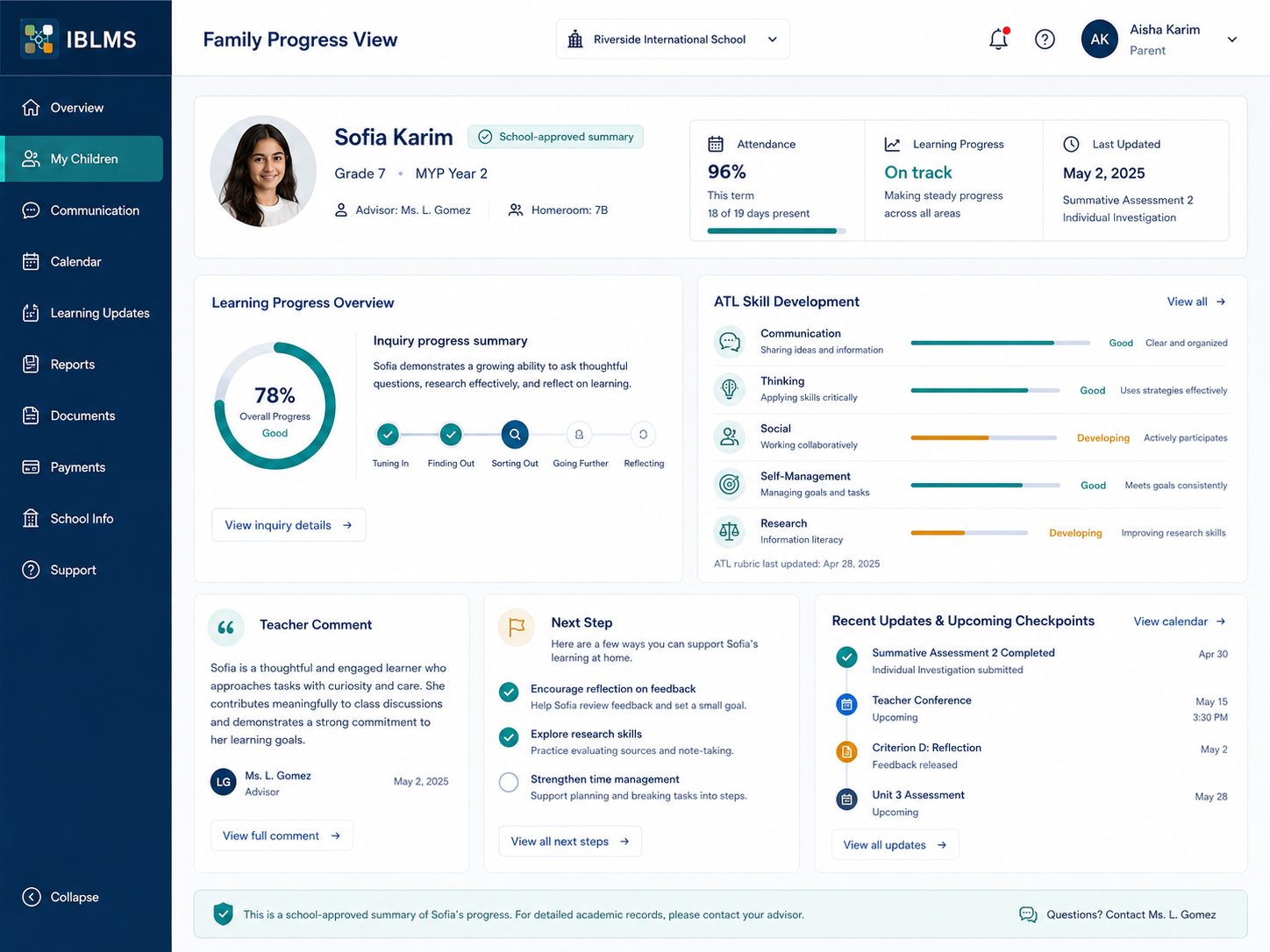
Parent-ready progress updates connected to learning evidence and school context.
Rollout stages, training, risks, and action-needed items visible to the right people.
The planning layer is designed for coordinators who need to see unit progress, teacher ownership, resources, and review readiness without chasing every department manually.
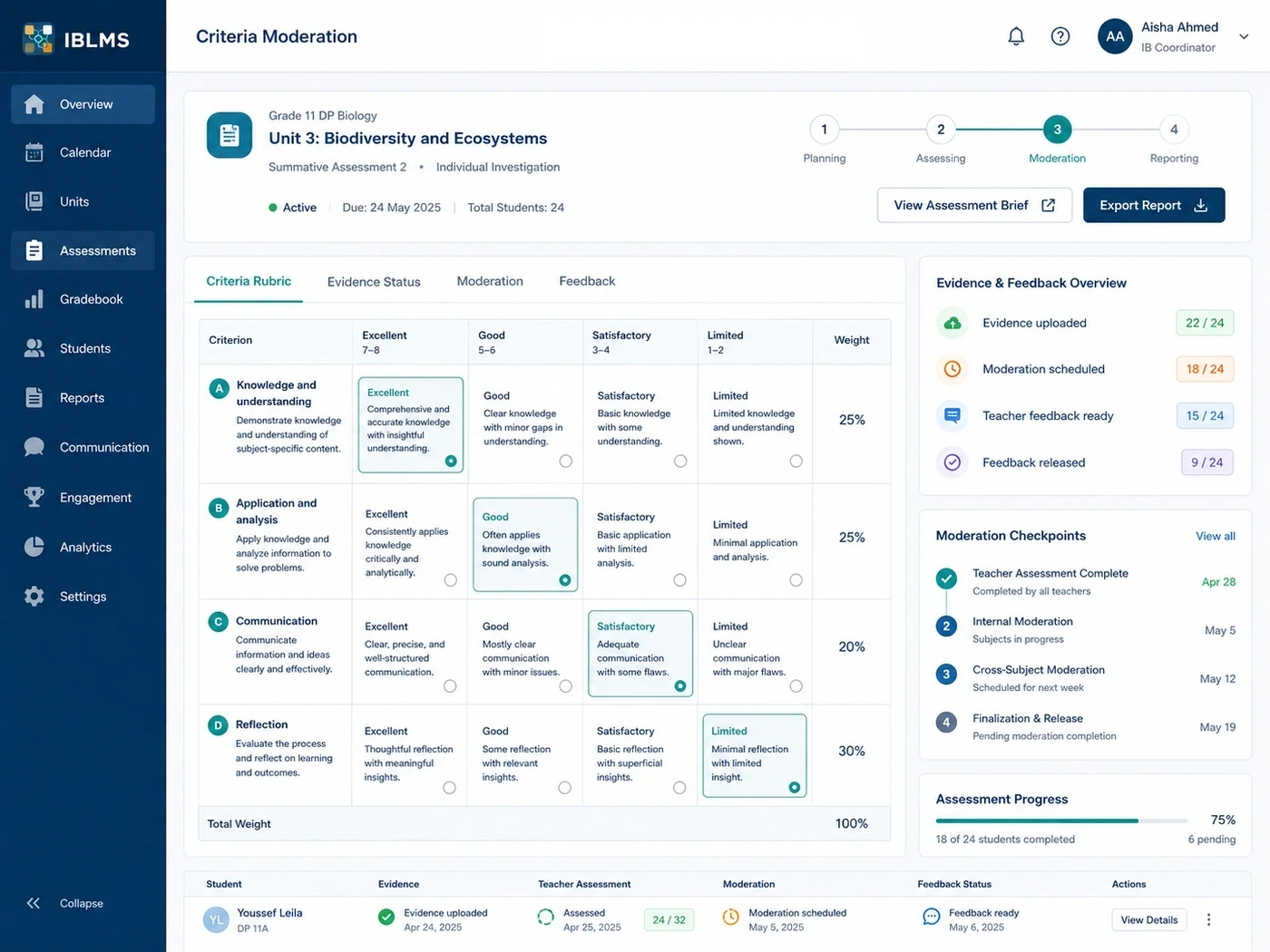
IBLMS is shaped around the assessment conversations schools already have: evidence uploaded, moderation scheduled, feedback ready, and progress visible before reports are due.
Family-facing views can be prepared from the same school context, helping teams communicate learning progress without fragmenting evidence across separate tools.
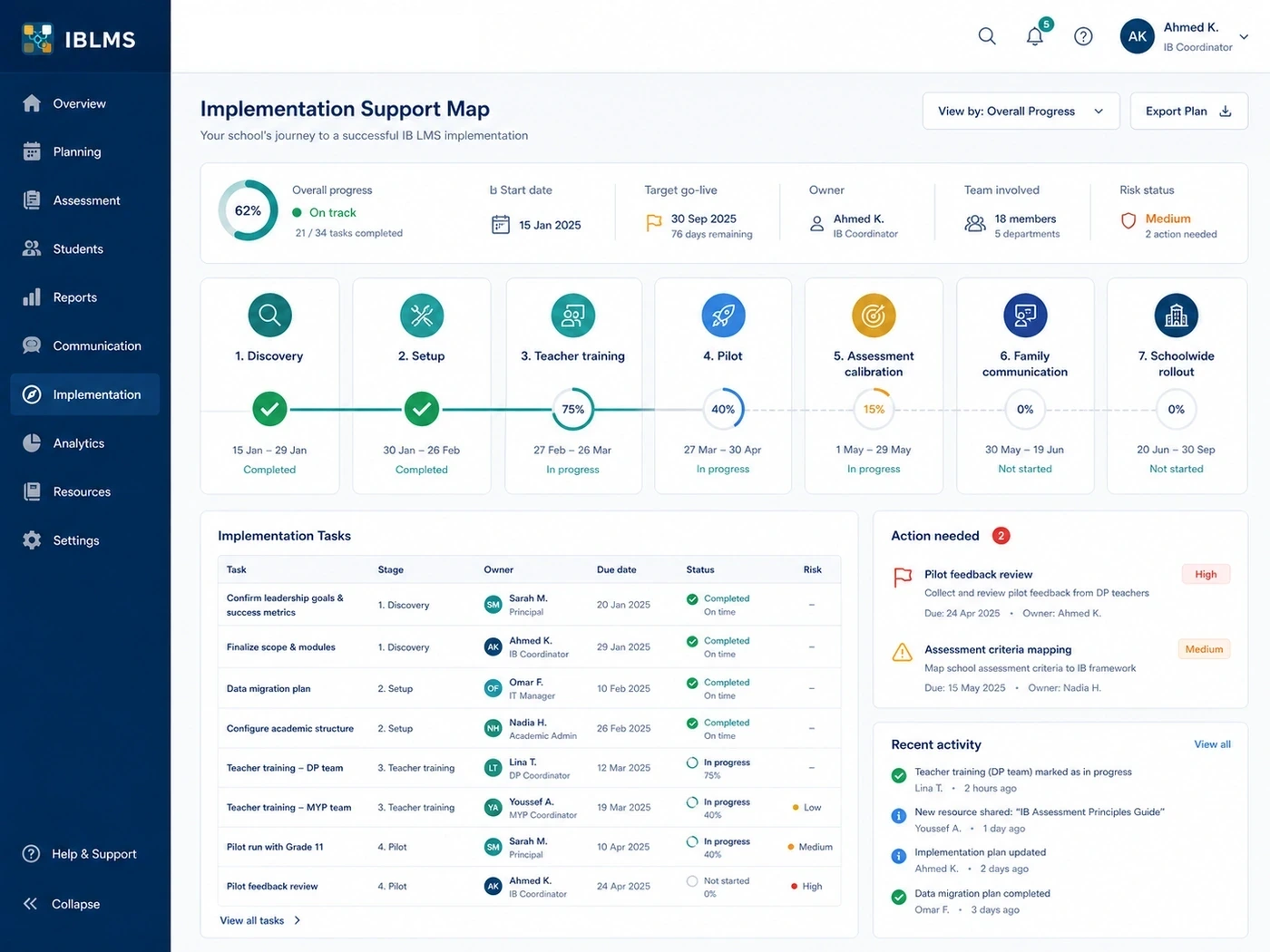
The implementation view is for real school adoption work: training stages, launch risks, owners, action-needed items, and recent activity.